> For the complete documentation index, see [llms.txt](https://help.rechat.com/llms.txt). Markdown versions of documentation pages are available by appending `.md` to page URLs; this page is available as [Markdown](https://help.rechat.com/appendix/website-integration/lead-capture.md).
# Lead Capture Integration
Imagine you're trying to send the following lead to Rechat:
```
First Name: John
Last Name: Smith
Email: johnsmith@gmail.com
Listing: 1265 Barry Avenue, Dallas, Texas
```
The most important part of this lead capture process is not the information above, which is the lead's information.
{% hint style="warning" %}
## The key part of the lead you send to Rechat is: **Who should receive this lead?**
{% endhint %}
## Account Structure in Rechat
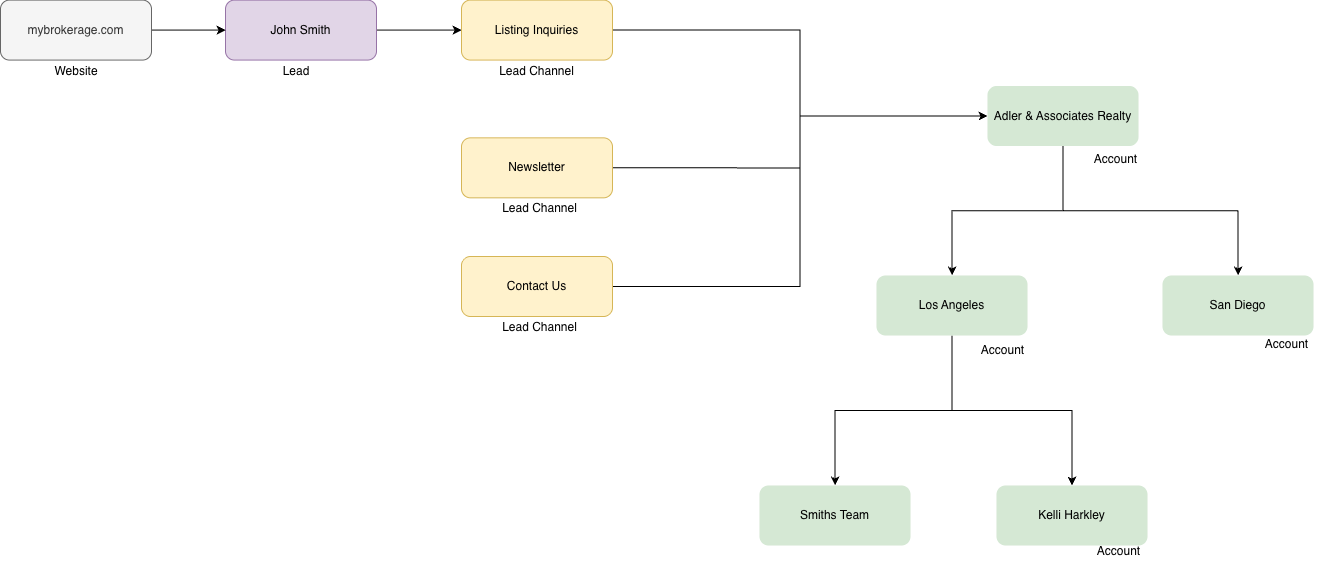
For each brokerage, Rechat maintains a complete organizational chart. Look at this example:
This tree above is an example of how Rechat looks at a brokerage. In practice, an organization can get many levels deep, with hundreds of offices and thousands of accounts.
{% hint style="info" %}
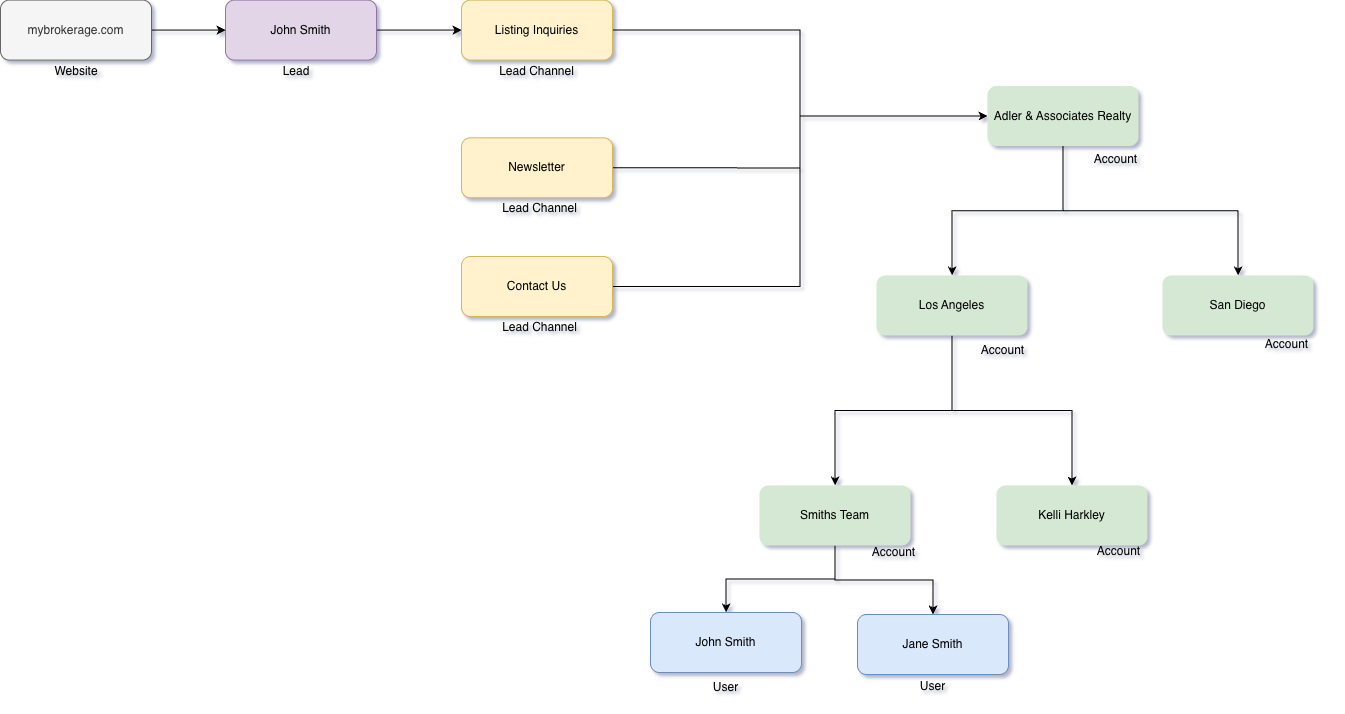
It is important to note that each "Account" may have several "Users" accessing it.\
**Accounts and Users are two separate notions.**
Think of accounts as organization units, and each user having the ability to have access to different organization units.
{% endhint %}
Given the structure above, how would a website send a lead to Rechat, knowing it'd reach "John Smith" from "Adler & Associates"?
### Lead Channels
{% hint style="info" %}
Rechat, as a cloud platform, has thousands of brokerages and tens of thousands of agents.\
When a website (or any platform) submits a lead to Rechat, they need to send us a **lead channel**.
This lead channel is a unique identifier that tells us which account this lead belongs to.
{% endhint %}
So, when sending John Smith as a lead to Rechat, you also need to send a lead channel:
```
Lead Channel: 12345
--------------------
First Name: John
Last Name: Smith
Email: johnsmith@gmail.com
Listing: 1265 Barry Avenue, Dallas, Texas
```
`12345` is the identifier that helps us determine which **account** should receive this lead.
How to get your Lead Channel ID
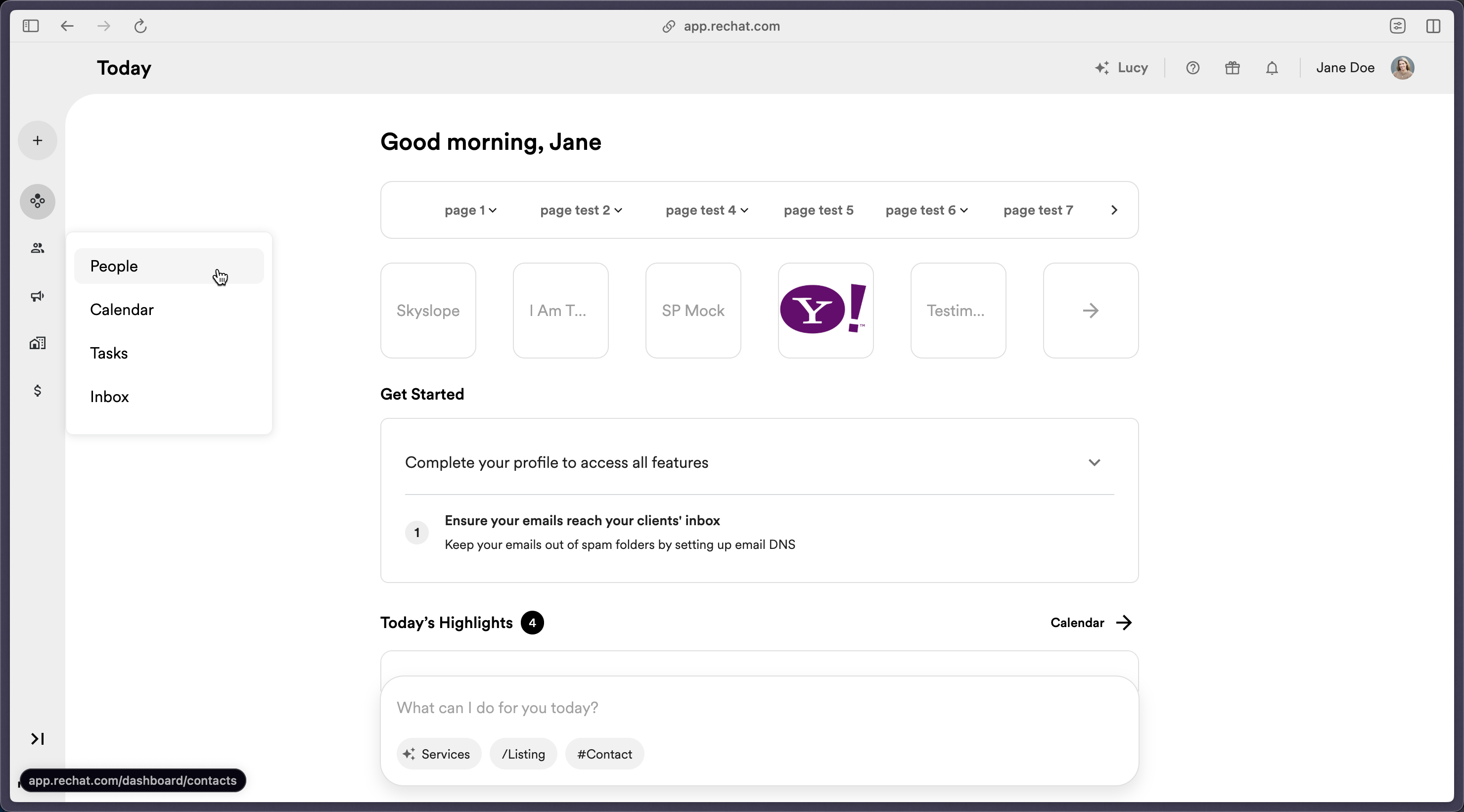
Navigate to the **People Center** from anywhere in Rechat by clicking on **People** in the sidebar.
Click on **Lead Routing** in the upper right-hand corner.
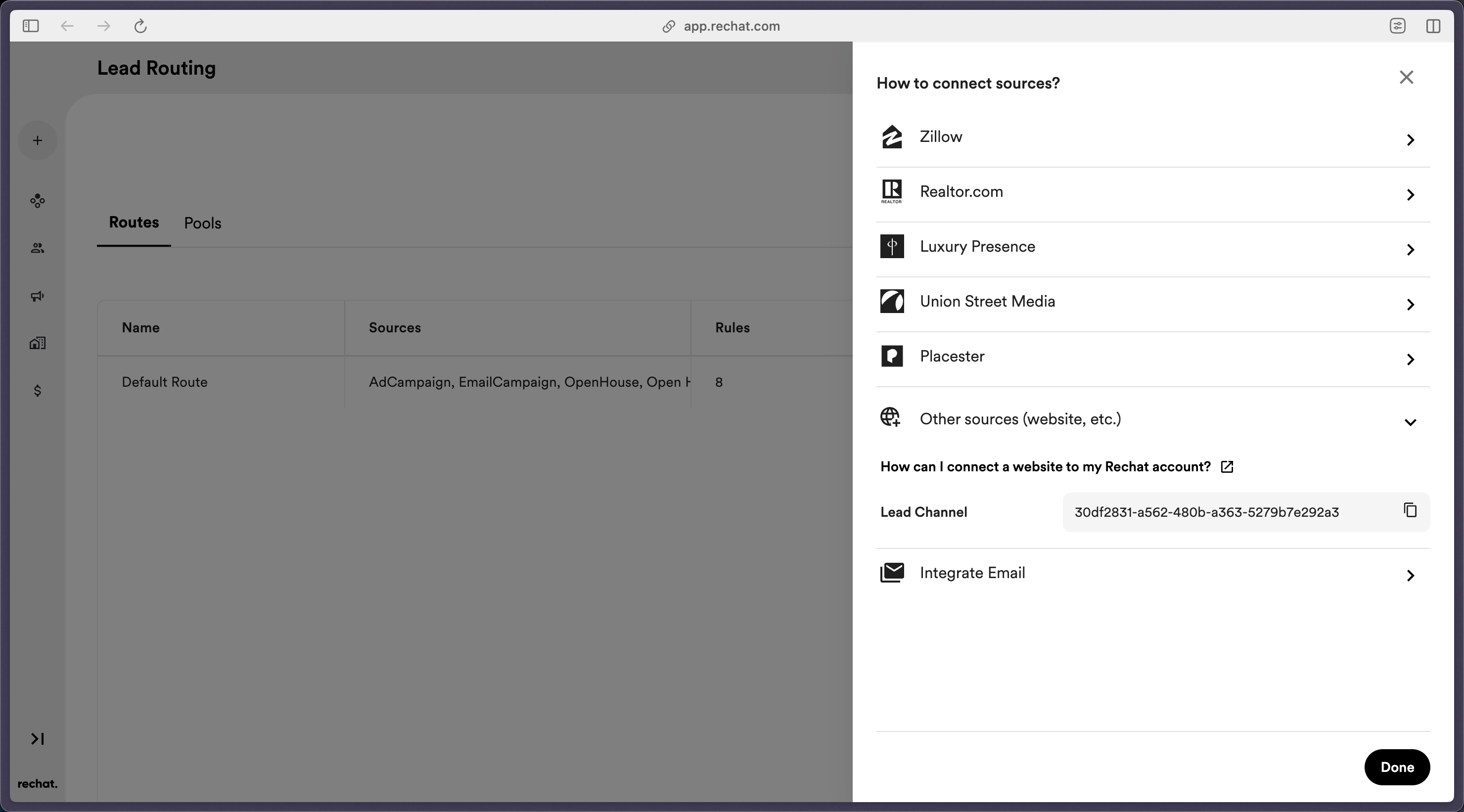
For a given route, click **Connect Source** located in the **Actions** column.
The **Connect Sources** panel will open. Click "Other sources (website, etc.) to expand.
Click to copy your **Lead Channel** ID. This will serve as both an endpoint identifier and an authentication key for lead capture.
**Note:** Each Route you define will have a unique Lead Channel ID. You can learn more about Lead Routing in our [Lead Routing help documentation](/guides/crm/contacts/adding-contacts/lead-routing.md).
{% hint style="info" %}
Important to remember is that each account is allowed to have multiple lead channels.\
For example, an account may create a lead channel for their incoming Newsletters and a separate one for Listing Inquiries. etc.
{% endhint %}
## Assignments
{% hint style="info" %}
Using Channel ID's you can send a lead to Rechat and "This lead belongs to Dickson Realty".
But, often times you need to also designate a very specific agent to receive a lead.
That's where assignments come in.
{% endhint %}
Once you send a lead to Rechat, you can include a collection of "assignees".\
These are the agents who this lead must be assigned to. Each assignee can have:
* `Email`
* `Phone Number`
* `MLS Id, MLS Abbreviation`
* `First Name, Last Name`
{% hint style="warning" %}
It is possible that an agent has a different email address in Rechat than on your website.
{% endhint %}
Rechat will look at every field of an assignee like the above, and will try to find a corresponding agent using each of these fields. For example if you provide an email address for the assignee, and we find an agent with that email address, we'll assign the lead to that agent. Otherwise, we'll look for an agent using the phone number you provided.
In the diagram above, each of the final "User" Accounts can be an assignee.
{% hint style="info" %}
The best way to think of Lead Channel and assignments is this:
Imagine you call a company on their phone and when they pick up, you ask for a specific person to talk to.
In this scenario, company **phone number is similar to Lead Channel** and the name of person you ask for is the assignee field.
{% endhint %}
### Reassignments
You also have the ability to reassign a lead later from an agent to another one. The process is very similar to the original assignments.
{% hint style="success" %}
All lead-related functionality is implemented in Rechat's [Lead Capture Demo](https://lead-capture-demo.cluster.rechat.com/) tool. Send leads, track activities using the tool, and inspect your browser to see the details you need to implement the functionality on your website.
{% endhint %}
---
# Agent Instructions
This documentation is published with GitBook. GitBook is the documentation platform designed so that both humans and AI agents can read, navigate, and reason over technical content effectively. Learn more at gitbook.com.
## Querying This Documentation
If you need additional information that is not directly available in this page, you can query the documentation by asking a question.
Perform an HTTP GET request on the following URL with the `ask` and `goal` query parameters:
```
GET https://help.rechat.com/appendix/website-integration/lead-capture.md?ask=&goal=
```
`ask` is the immediate question: it should be specific, self-contained, and written in natural language.
`goal` is what the user is ultimately trying to achieve, the reason they need the answer. Sharing it helps GitBook give you a better, more relevant answer. A goal is most helpful when it describes the outcome the user wants rather than restating the question. For example, with `ask=how do I create an API token`, a goal like `automate deployments from our CI pipeline` lets GitBook tailor the answer to that use case.
The response will contain a direct answer to the question and relevant excerpts and sources from the documentation.
Use this mechanism when the answer is not explicitly present in the current page, you need clarification or additional context, or you want to retrieve related documentation sections.
.png?alt=media&token=60cf1e5c-3e24-494c-a6a4-8e7967274cfc)